
Let’s get right to the point. This post is a Predictive AF comparison test between the Lumix GH5, G85, Olympus EM-1 Mark ll, and the Nikon D500. I’ve been shooting the new Lumix GH5 for almost two months, and Panasonic’s DFD autofocus is now producing equal to or better results than any camera I’ve shot to date.
Predictive AF Comparison
This post is not an overall review of the GH5. I’m guessing I’ll do that after several more months of using the new camera. For now, this is all about Predictive AF. For those not familiar with the differences between Predictive AF and Single AF, Predictive AF is action—fast moving action—and the ability of a camera to capture those “glory pictures” we all desperately want in our portfolio. Up until now, the Micro Four Thirds world hasn’t had a camera that could perform on a truly professional level when it comes to Predictive AF. Hold on before you start screaming about the new Olympus EM-1 Mark ll having these abilities until you see the results below. With the GH5, we finally have truly professional, predictive AF proficiency.
So that’s the intro. Now let me give you the details of what I’ve been up to that’s convinced me we’re now in a different world for Micro Four Thirds shooters.
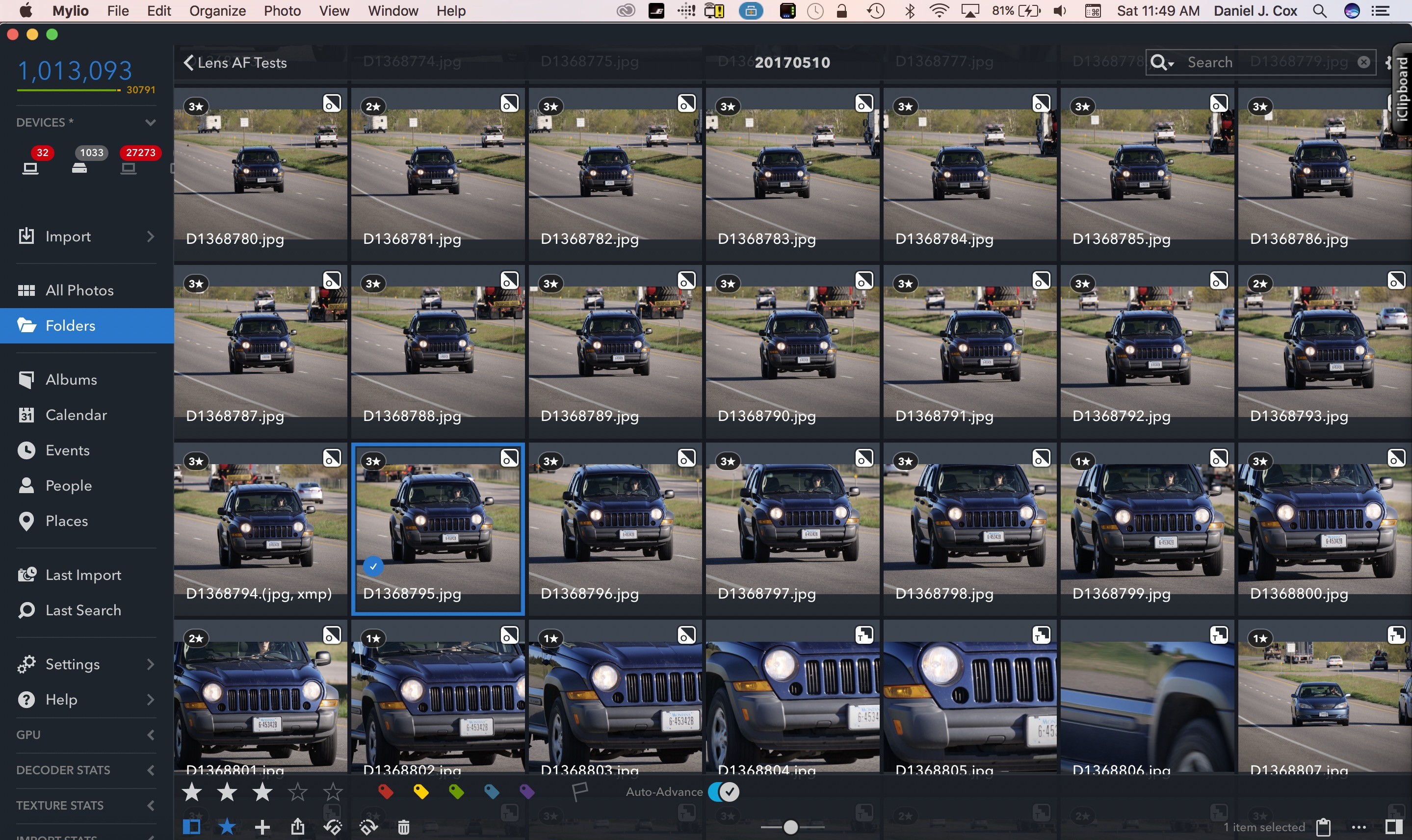
A screenshot that shows how it looks in Mylio with star ratings. Note all the 3 stars that show perfect, razor sharp focus.
If you read this blog, you may have read other posts showcasing my “Speeding Pooch Test.” A speeding pooch, preferably a lab or golden retriever, coming straight at the camera charging after a thrown ball, is one of the best ways to test the Predictive AF capabilities of any camera. The downside to this test is the difficulty of finding enough fast dogs to get lots and lots of opportunities to produce the tests. To solve this problem I decided to go after something there are plenty of, speeding cars.
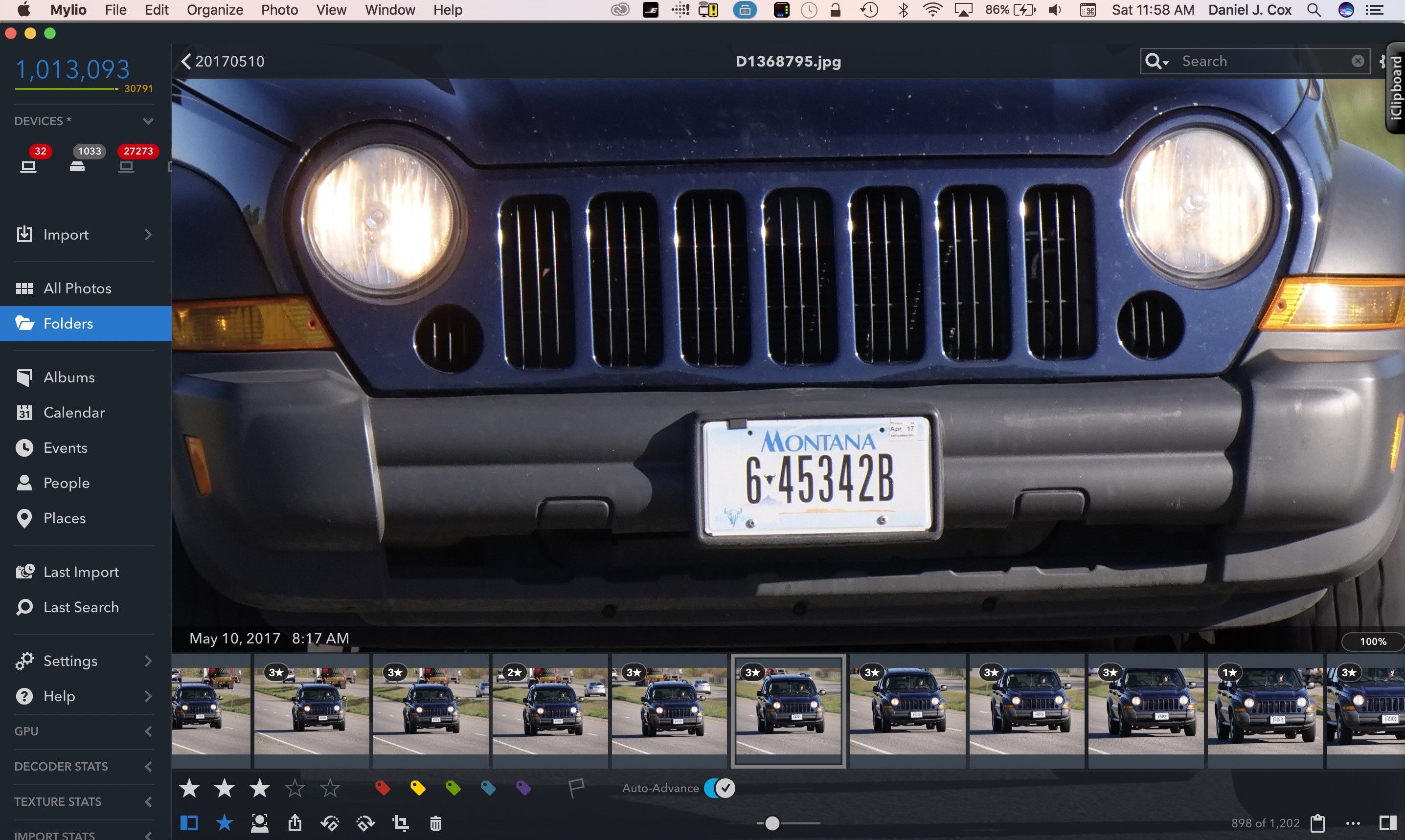
Single point AF pointed at the middle part of the grill of each car. This is a screenshot of the image at 100% with no sharpening added.
For the test results I’m about to share, I placed myself beside a roadside where the speed limit is 75mph/120kmh. I shot just short of 10,000 frames between four different cameras: Lumix GH5, Lumix G85, Olympus Om-D EM-1 Mark ll, and the Nikon D500. On the two Lumix bodies, I used the Leica 100-400mm set at 300mm (600mm equivalent) as well as the NEW 100-300mm lens also set to 300mm. On the Olympus, I used the Olympus 300mm F/4, and on the Nikon I used the 80-400mm set to 400mm (600mm equivalent). All lenses were set to their respective focal lengths to be as close to identical as possible.
6K Photo Mode Video Capture Sample
Here’s a video I shot in 6K Photo Mode. This gives you an idea of fast these cars are coming at the camera. That in itself is interesting, but just to whet your appetite, for a future post about 6K Photo Mode, watch this video for focus accuracy. Keep in mind this is video shot at 30FPS at a very high shutter speed. Once you hit the play button, click the same button to stop the video at any particular spot and take a look a the focus of the GMC label on the grille. Unfortunately, there is no way to extract these files once you take them from the camera, so you have select the individual stills while the 6K Photo Mode file is still in the camera. Not a perfect solution but one we can live with until software catches up with this amazing camera technology. That is going to be unbelievable.
Star Rating System
I chose to use the following star rating system for AF quality:
3 Stars = Perfect focus, razor sharp
2 Stars = Acceptably sharp, most people viewing the image at 100% would think it’s useable
1 Star = Completely out of focus and un-useable
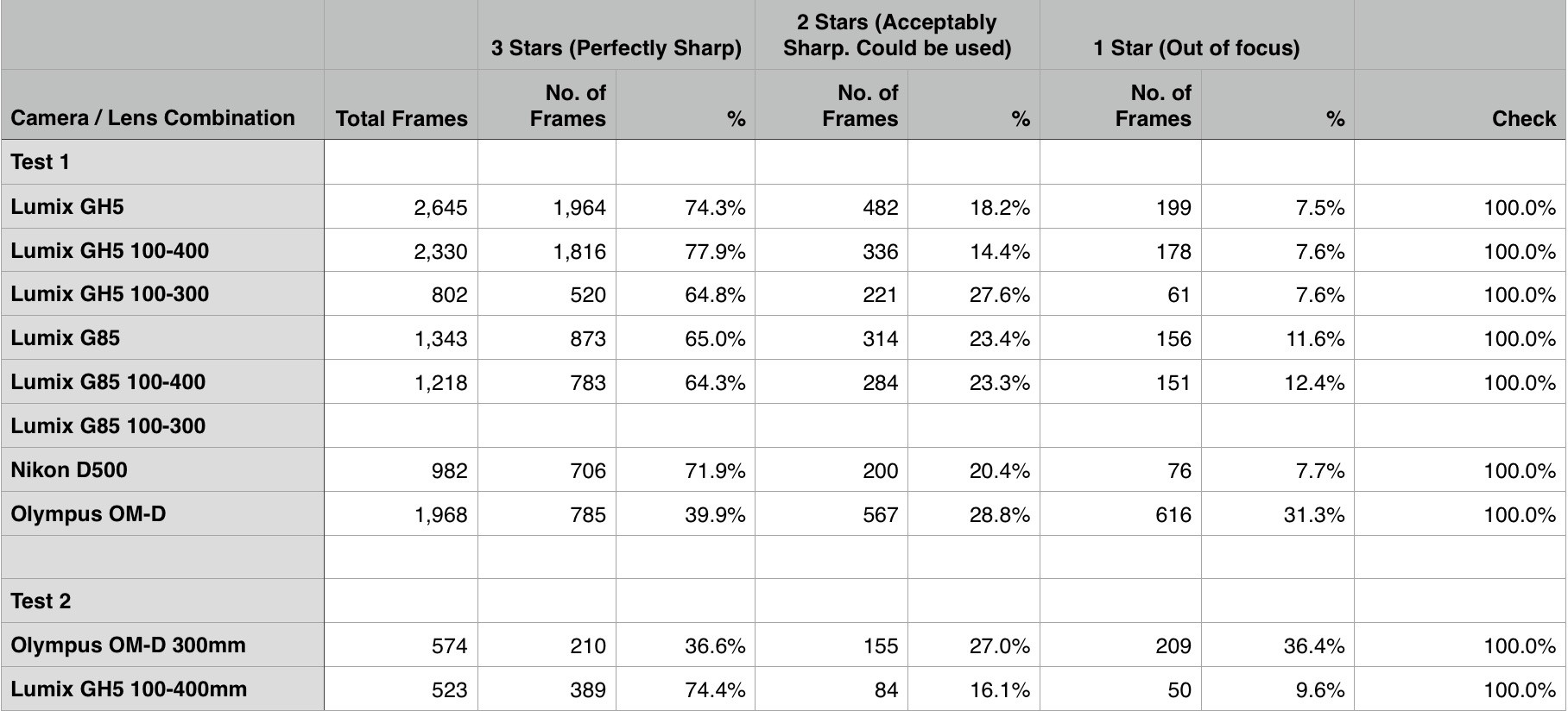
Apple’s Numbers spreadsheet with the number of images and percentages. Test 2 was just the GH5 and EM-1 to confirm what I had seen in the first test.
AF Menu Options
All cameras were set to AF-C and each was slightly customized via the AF settings in the menu. When I say “slightly customized” I mean slightly customized. This is very important since, in my opinion, AF settings should be simple and straightforward. Each camera’s AF setting was slightly changed to adjust the AF responsiveness. All were set to be most responsive since a car heading down the roadside is not going to have any subjects moving in front of it that might affect the AF misinterpreting the actual subject
Each camera has the ability to customize AF capabilities via the menu. In theory, this could be a good thing, but in practice, I feel there are too many options on all the cameras except the G85 and the Nikon D500. It’s my opinion AF should just work without any—or at least very little—customization. Canon started the idea of ultimate customization and the others have followed. When you point the AF sensor at the subject it should just follow it. Ideally, there should be no need for selecting erratic, constant, fast, short, etc. The GH5 has a pretty complicated customization process, but I chose to ignore most of it, opting for changing only the AF Custom Settgins> AF Sensitivity to +2. Below are details of similar changes to the other cameras.
- Lumix GH5: Burst Rate = High, AF Custom Settings> AF Sensitivity +2, AF-C Focus/Release Priority set to Balance
- Lumix G85: Burst Rate = High, Custom Settings>AF Sensitivity +2, AF-C Focus/Release Priority set to Focus
- Olympus OM-D EM-1 Markll: Burst Rate = Low, C-AF set to Loose +2
- Nikon D500, Burst Rate = High, AF-C Priority Selection= Focus+Release
OK, so those were my settings and it’s here that I predict I’ll take the most heat. Why? Because there are other menu options and there will be those who will shout I didn’t do enough to explore them all. To that I say, be my guest and do it yourself. My options are a great place to start and were selected to put all cameras on as similar settings as possible so we could have an even playing field. Additionally, the settings I chose are simple and straightforward, which is how all AF systems should work. In other words, just give me great AF and I’ll be happy. Fine tuning each camera’s AF could make a difference, but the GH5’s keeper rate was so high, I’m thrilled with the results I’m getting with the basic settings. If you decide to choose one of the other cameras that didn’t do as well, you may want to do your own tests to see if digging through all the menu options can make your camera of choice more accurate than the GH5.
Download Image Samples
For those wanting to see the images for themselves and evaluate them for AF accuracy, I’ve uploaded several hundred samples from each camera to my Photo Shelter site. The links to those collections are below and you’re free to download any or all photos as long as they are kept on your own personal computer for your own personal use. Do not post these anywhere else without my written persimmon and keep in mind I retain all copyrights to the pictures I’m sharing. These galleries do not include the entire shoot from each camera. I may add more at a later day when I get somewhere with more bandwidth. I’m currently writing this from Croatia and I simply can’t get as many as 1000-1500 jpegs per camera up to my Photo Shelter account in a timely manner.
Download Lumix GH5 with 100-400mm lens samples
Password: gh5-100-400
1778 images
Download Lumix GH5 with 100-300mm lens samples
Password: gh5-100-300
455 images
Download Olympus OM-D EM-1 Mark ll with 300mm lens samples
Password: olyem-1markll300mm
1412 images
Download Nikon D500 with 80-400mm lens samples
Password: d500-80-400
416 images
Please Note: Unfortunately, PhotoShelter limits the number of photos you can download per zipped folder, so for the two galleries with 500+ images (GH5 with 100-400mm and Oly with 300mm), there are multiple zipped folders to download all of the images. Once in the gallery, click ‘Download’ in the upper right corner. Enter the password, and you will be taken to a screen that looks like this:
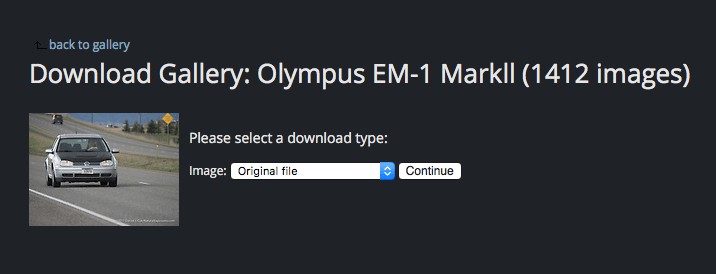
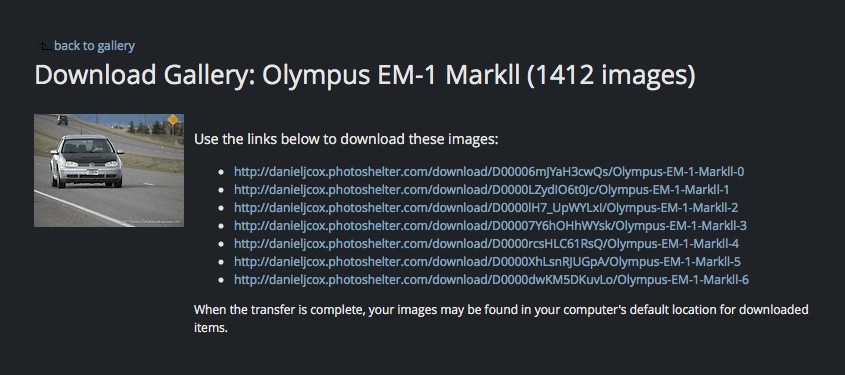
Select the size you want to download in the dropdown box, and then click ‘Continue.’ You will then be taken to a screen containing several links that looks like the screenshot below. Click on each link to download the corresponding zipped folder of images.
Panasonic Lumix Depth From Defocus Technology
So let’s end this conversation with a little discussion about Panasonic’s Depth From Defocus (DFD) technology. Based on these tests, Panasonic is close to my prediction of perfecting their revolutionary DFD AF system, something that virtually every magazine, website, forum, and the like have said cannot be done. Everybody, except me, has blogged, vlogged, chatted, and screamed, DFD, a Contrast Detection-based AF system will never equal the Phase Detection AF virtually every other serious camera manufacturer is using. I’ve said it time and time again, these naysayers sound just like the folks who were convinced digital would never replace film. Having the camera analyze autofocus based on the sensor itself, as DFD does, makes all the sense in the world. Phase Detection AF judges focus based on a separate AF sensor that is different from the image sensor thus making inaccuracies very possible.
It’s the Phase Detection system that Olympus, Nikon, and Canon use that requires they all have the ability for Micro Lens Adjustments. Micro Lens Adjustment, in the menu of the cameras I mentioned, allows the photographer to change the calibration of lens and camera that is either back or front focusing, a common problem with Phase Detection systems. The GH5 doesn’t have a Micro Lens Adjustment option since it’s never needed. I experienced back focus issues for many years when I was shooting Nikon bodies. The issue raised its ugly head again this past February while shooting the new Olympus OM-D EM-1 Mark ll with the amazing Olympus 300m F/4. I knew the Olympus 300mm was much sharper than the images I was getting. I finally did a proper test and found the lens and camera were back focusing. A tweak of the Micro Lens Adjustment on the camera took care of the problem, but I’m happier the GH5 doesn’t need this option.
Conclusion
For those who want to see ALL the images for themselves, you can download the entire collection from my PhotoShelter account. I’ve broken them up into each camera’s own folder. These are for your own personal use and I retain all copyright to these images. Do not post them anywhere without my written permission. Go ahead and knock yourself out trying to second guess me. I think you’ll see for yourself this camera is the real deal, and to all those naysayers who are convinced Depth From Defocus is second rate technology to Phase Detection AF, this camera proves them wrong.
Speical thank you to Natural Exposures Explorer Fred Kurtz, a numbers man, who helped me get the numbers properly set up in Apple’s spreadsheet program.
Also, want to thank Marshall Lewis of Bozeman Camera for loaning me the Nikon D500 to test. If you want great service and reasonable prices give Marsha a call at +1 (406) 586-8300 or email: bozemancamera@gmail.com
Editorial Note:
Please note that I work with Panasonic as a Lumix Luminary. Some may think this will affect my integrity regarding these kinds of reviews. Nothing could be further from the truth. I worked with Nikon, unofficially, for nearly 35 years and I never received a dime. But I did so because I believed in their products. I now feel the same about Panasonic Lumix. Panasonic approached me to become a Luminary almost ten years after first purchasing one of their cameras, the Lumix GF1. Though Panasonic pays me a small stipend annually, no amount of money is worth the trust I’ve established with my readers and people who know me. I feel it’s important for my readers to know my connection to Panasonic so you can decide for yourself.