

Jan Wegener confirms what I’ve been professing for many years. You can print really, really huge prints with smaller megapixel cameras as long as you have a sharp, quality image to start with AND you use the right software for processing.
Micro Four Thirds are considered small files
With my OM System OM-1 Mark II, I’m limited to approximately 20-megapixel files. However, with the additional magnification from the smaller sensor, I can get much closer to my subjects. Most full-frame shooters brag that their high-megapixel files let them crop in post-processing. Micro Four Thirds shooters do the same, only we do it in-camera while in the field. Micro Four Thirds has an effective crop of 2X, which means my 150-400mm F/4.5 zoom is effectively a 300-800mm zoom, and with the 1.2X TC, I get a whopping 1000mm. So MFT shooters start with the crop that most full-frame shooters profess is so important.
RAW Processing for stunning results
For my RAW processing, I start in my DAM program of choice, which is Mylio Photos. I then take the image into DxO PhotoLab 9, where I do most of the work. I find DxO PhotoLab far superior to anything I’ve used for removing noise while still preserving incredible detail. Once I’ve processed the image in DxO, I save it as a .tif. I then take it into Topaz Photo AI, where I resize it to the print dimensions I want. Once resized, I sharpen and save the final image back to the original folder, where Mylio Photos adds it to my picture database.
A recent example
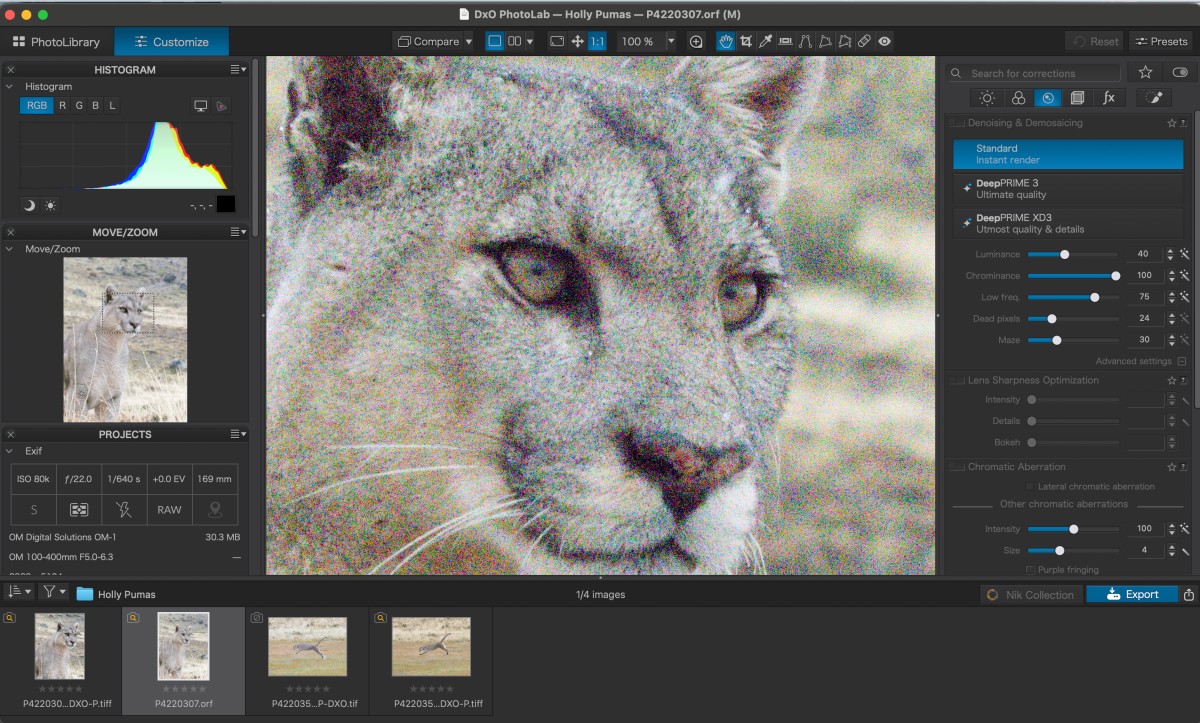
I recently returned from Chile, where I was leading several photo tours to photograph wild Pumas in Patagonia. One of our NE Explorers accidentally set the ISO to 80,000 on her OM System OM-1 Mark II. The RAW files were not pretty. The example below is a 100% crop of the image she wanted to save and make into a large print.
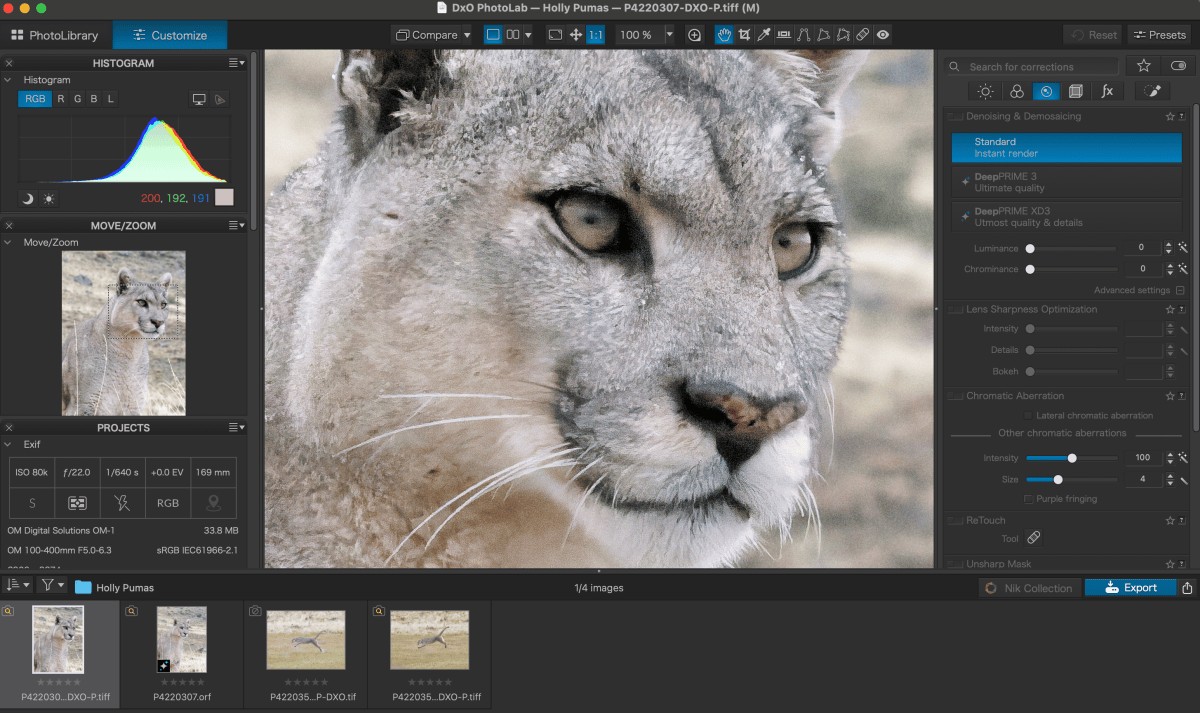
This is the result after taking the file through DxO PhotoLab DeepPrime XD3 and then processing it in Topaz Photo AI, where we applied upsizing and sharpening.
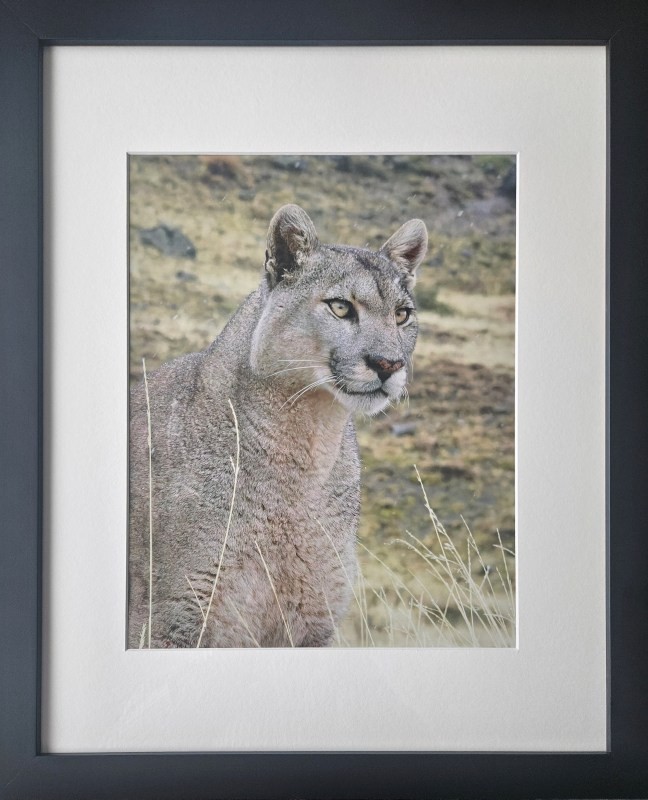
The final image is not perfect, but it’s quite good, and Holly was very happy with the result shown below, that now hangs on her wall.
Conclusion
With the original being shot in RAW, we were able to save this image so she had something to print. Jpegs can be fine if everything goes as planned, but if things go sideways, as they did with Holly shooting this image at 80,000 ISO, RAW can make the difference when trying to save the image. With good software and knowledgeable processing techniques, you can often save an image that would otherwise be useless.