

Mylio Update
Last night Mylio once again updated their software with several new features, added support for a handful of new cameras, and squashed a bug or two. One of the new features has finally given me the ability to eliminate

David Vaskevitch, CEO of Mylio, in front of a wall of his photography at Mylio headquarters in Seattle, Washington.
Photo Mechanic from my workflow, and any reduction in the number of programs I need to get my work done is a huge step forward. Thank you Team Mylio!
New Features
- When importing, you can now easily create a folder with today’s date to import into. (Thanks Dan!)
- You can now use Mylio’s “Organize Folders” feature when importing into subfolders. (Thanks Clemens!)
- New Android and iOS tablets now default to Desktop View instead of Mobile View.
- Mobile devices now allow you to choose your device’s sync policy on the first run.
The first item on the list above is something I’ve been whining about for a long time. Team Mylio thought this request was a bit odd to say the least, but it was an option in Aperture and is an option in Photo Mechanic. Amazingly, it’s not an option in Adobe’s Lightroom which doesn’t allow for importing your pictures based on the date they were imported. Lightroom only allows you to import photos based on the day they were shot. Mylio also only had the option to import by the day shot until this update. I’ve always organized my photos based on

Captain Cool, Mylio software engineering guru JP Duplessis, working his Mylio magic on his Mac keyboard. Mylio headquarters in Seattle, Washington
import date and I didn’t want to change. Luckily for me, JP Duplessis took the time to make it happen. I have to admit that my desire to do it this way was a bit unnecessary since I always have the Mylio catalog, with at least thumbnails of my entire library, on my laptop. Currently, that’s 1,035,117 images. In the past, with Photo Mechanic and Lightroom, it was easy to mix folders up without having my entire catalog always accessible. It’s possible I could have done it Mylio’s way had JP and I discussed it a bit more, but for those of you who do it like I do, and I’ve met many that do, you now have this capability in Mylio.
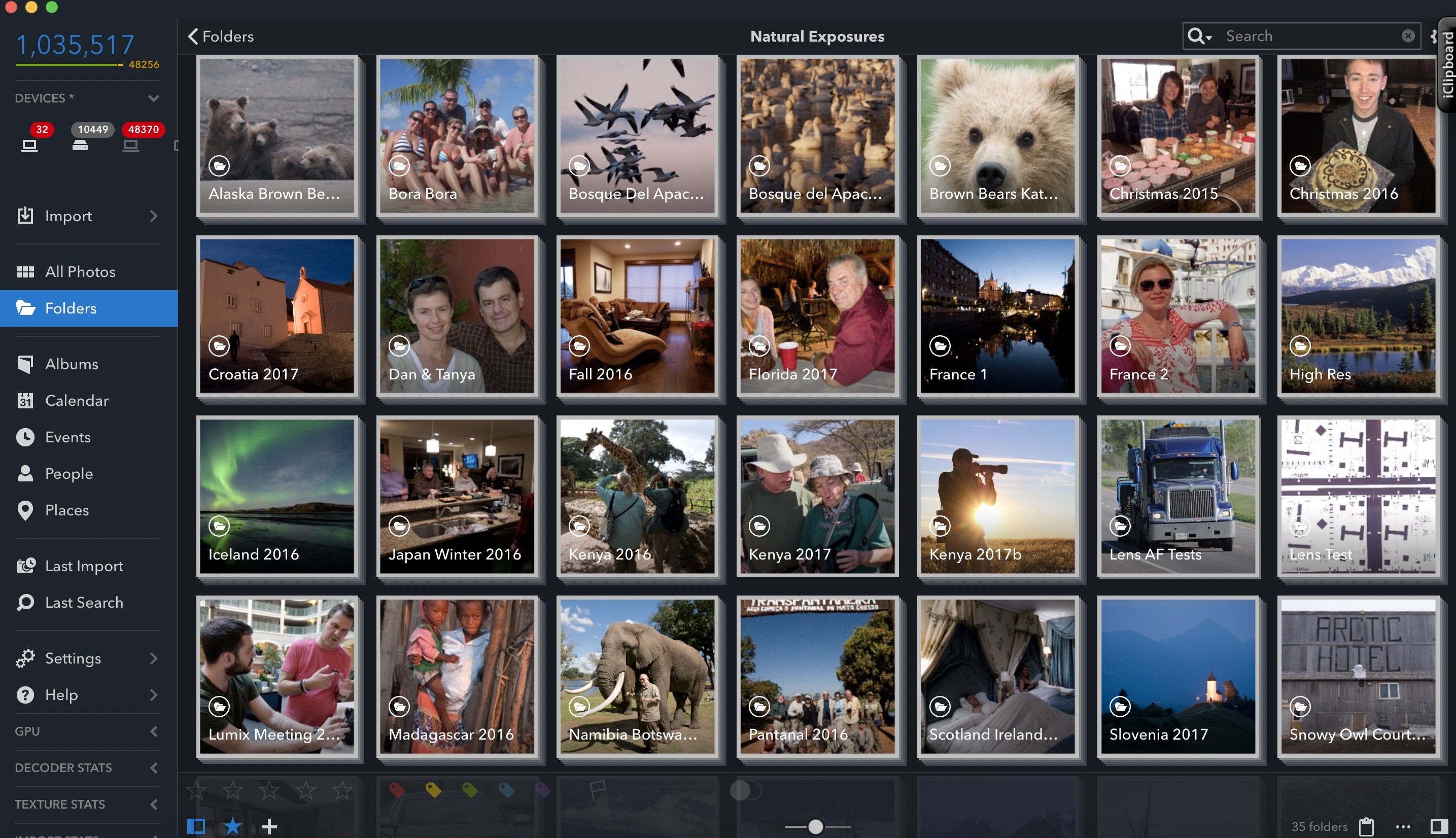
The top left corner showing my overall image count in my Mylio library. Mylio is every bit as fast with 1 million plus images as it was with 10,000 images. It’s still rocket fast!
Bug Fixes
- Mylio on Windows now ignores bundles and packages when importing.
- Sony A7ii photos taken with APSC lens now generate previews as expected. (Thanks Stu!)
- Fixed an issue that causes faces to not align properly on RAW images.
- Simplified the face tagging UI in “Who is this?” views. (Thanks Mili!)
- A ton of crash fixes, including Android O Beta crash fixes, will provide for a more stable Mylio.

JP and Marcus joined me and other NE Explorers in New Mexico to take pictures and discuss the needs of photographers in the field.
Camera Support
- Canon EOS 77D
- Canon EOS Rebel T7i
- Canon EOS M6
- Sony A9

JP lines up his monster bazooka during our shoot in New Mexican. Freddy and Sue can’t believe what they’re seeing.
Thanks to All Involved
You’ll notice that after a few of the New Features and Bug Fixes there’s a name. Mine appears in the line detailing the new Import option. There are two others besides me. I only mention this to point out how Mylio is interested

David Vaskevitch leading the All Hands On Deck meeting at the Mylio headquarters in Seattle, Washington.
in their customers. I can tell you from experience, there are a lot of companies that don’t respond like Mylio has been doing. That’s a huge advantage for all users and for Mylio. I know it sure makes me excited about the future when I know the folks I’m talking to are truly listening and making things happen due to customer input.
Let’s Hope Video is the Next Big Thing for Mylio
As the cameras continue to change, allowing us to pull stills from the video we shoot, I’m ever hopeful that Mylio will up their game in the world of moving pictures. Currently, Mylio only allows us to get to our videos by way of

The Lumix Diaries pulls out a win at the IHA World Hockey Championships in Paris where I used the small, pocketable Lumix ZS100 in 4K Photo Mode to catch the winning goal by the Swiss, beating the Canadians 3-2 in overtime. Amazingly, I was sitting halfway up in the stands, middle part of the colosseum, where I shot much of the game with this tiny little camera. Tanya and I were just passing through Paris on our way to Croatia and Slovenia when we realized her distant family member Nate MacKinnon was in town playing for the Canadians. Would have rather had the Canadians win than to get this shot, but hey, that’s the way the puck rolls.
connecting up to Quicktime Player. It works, but it’s certainly not a perfect option. We desperately need a way to see video within Mylio and have the ability to pull individual frames from that same video. I was able to do that with Aperture and it’s also currently possible with Lightroom. We desperately need the same capabilities with Mylio as technology moves forward.
Thanks again David Vaskevitch, JP Duplessis, and the rest of the Mylio Team.