

I thought I would share with you some lessons I learned recently with regards to protecting your pictures. About three weeks ago I had a major Drobo hard drive failure where I had nearly 3 Terabytes of images go up in smoke. Thank goodness I had them all backed up in two other places. As I discuss this I’m not holding back any names in reference to equipment that may have failed me. More importantly I also won’t be holding back with explaining MY missteps that most likely were the root cause for the equipment failures. Both the products that were involved in this disastrous melt down, Drobo FS and Aperture, are products I still firmly believe in and will continue to use. The key to discussing this is to encourage each and everyone reading this blog to make sure you understand all the details and limitations of your equipment or software to avoid a catastrophic implosion like I had.
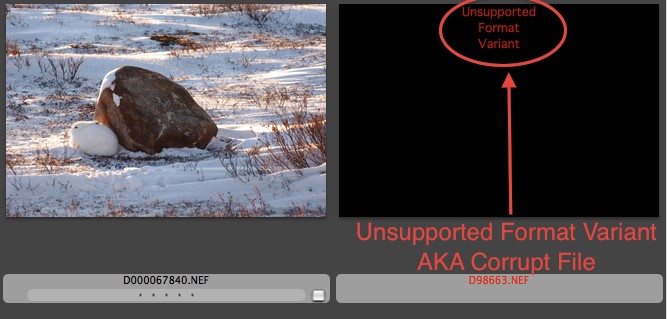
Unsupported File Variant! Not the warning you wever want to see.
It all began with a good friend of mine from Apple giving me a DroboPro FS Direct Attached Storage Array. I’ve had it for over a year now and it has always been a great device. It was an amazingly kind gesture on my friends part. I’ve been a big fan of Drobo since they first released their first Drobo product. However, as they’ve progressed so have the connection options that Drobo offers. My lack of understanding Drobo’s new ISCSI/Ethernet connection port took me down a four week road I have no interest in traveling again.
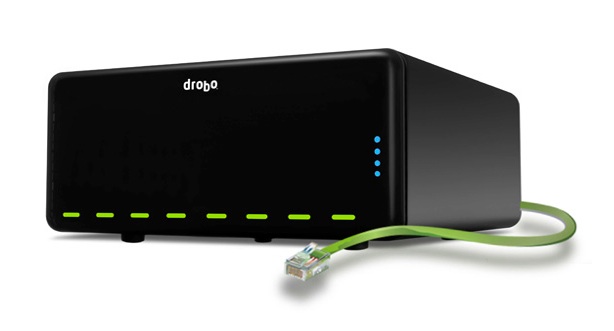
That green wire is an ISCSI/Ethernet connection cable. Beware
ISCSI/Ethernet is a relatively new connection for hard drives and other peripherals that gives you tremendous band width for moving large files. Moving digital photos is always a headache since the files are so large and the transfers so time consuming. When the ISCSI/Ehernet option appeared I was elated. On paper ISCSI is a bit faster than Firewire 800 and I’m always looking for speed when it comes to photography and video production. But my elation turned to frustration, aggravation and had I not backed everything up, most likely starvation! My Drobo FS with over 3 TB’s of images became corrupted after it lost connection to my Mac Pro during a transfer of large files. Whenever a drive disconnects during a transfer process your chances of corruption are almost 100%. Actually it disconnected three different times during the transfer and after each disconnect it restarted, then took off where it had stopped all on its own. After the third time I thought, “Holy Mackerel this is not good” or something to that effect. Have to admit it may have been a bit more colorful than that but my mother reads these blogs so you get the idea.
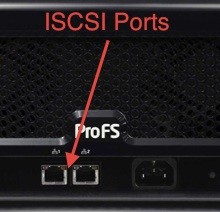
ISCSI/Ethernet ports on the back of a DroboFS
Anyhow, long story short, even though the Drobo was restarting and taking up where it left off, in reality it was slowly dieing. The shut downs during transfer were apparently due to the ISCSI connection. I called Apple and the minute I explained how I had the Drobo connected, they immediately told me that ISCSI/Ethernet is not supported from within Aperture. I prodded a bit further since I knew that Aperture wasn’t supported over a network but what I really wanted to clarify was. “is ISCSI/Ethernet plugged directly to the computer considered over a network?” and the answer was, “Yes, Aperture does not support Ethernet connections and that’s what ISCSI is. Your disconnects are directly related to ISCSI/Ethernet not being able to establish and provide a quality transfer of digital data.” So there was my answer directly from Apple. Needless to say I’ve switched back over to Firewire 800, the fastest connection I have on my current equipment. Back to a little slower connection but hopefully much more stable. I can’t wait until Thunderbolt hits the market in mass. I’ll be upgrading my Mac Pro and a new storage unit to make good use of the blazing speeds Thunderbolt will provide. Lets all just hope this never happens again to me or any of you out there reading this blog. If it does I know I’ll be looking for a new storage device.