

One of the questions I’m often asked is what program I recommend for working with photos. I often respond with a few questions of my own to better understand the person’s comfort level and capabilities with computers. If they are new to digital photography, but computer literate, I often suggest either Lightroom or Aperture. If they are computer phobic, I’ve had fewer options until now. Just this morning I found that Apple’s iPhoto, the easiest, yet still very powerful program for photography, has added the option to “Reference” your photos. What do I mean by “Reference” photos? It’s a bit complex for those new to the concept but I’ll do my best to explain. In short, it’s a way to store your photos outside of the iPhoto Library which is an advantage for many reasons. The most notable benefit is you won’t overrun your computer’s hard drive if your images are “Referenced”. If you are serious about your photography or getting serious, this is the way you want to go.
Think of a referenced iPhoto library as the way you use a book library. The books (your photos) sit as referenced originals on a shelf (your external hard drive). The iPhoto library keeps a small version/mini jpeg on your computer. When you open your iPhoto library it shows the small jpeg but knows if you need to change anything, it reaches out to the referenced original on the external hard drive.
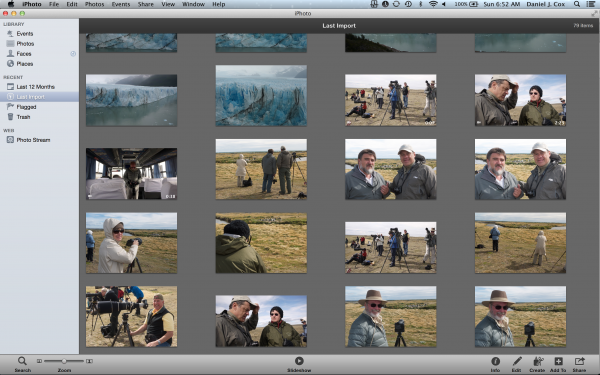
My new iPhoto Library with photos from our recent Patagonia trip.
Derrick Story, who contributes to Macworld’s Digital Photo Blog, does a great job explaining how to set it all up. Yes, I realize it requires using the Apple operating system, but quite frankly, when it comes to digital content, there is no better system currently being offered. Digital Asset Management, (DAM) as it’s known, is a tremendous advantage for keeping track of your precious images. One of the warmest feelings I know is to type the word Family in to my Aperture library and watch family members populate my screen by the thousands. It’s a great trip down memory lane and it can happen in fractions of a second if you just spend a little time getting it all organized. Take a look at Apple’s iPhoto if you want the simplest DAM program on the market. It’s well worth the effort.